To cancel your subscription follow these simple steps:
-
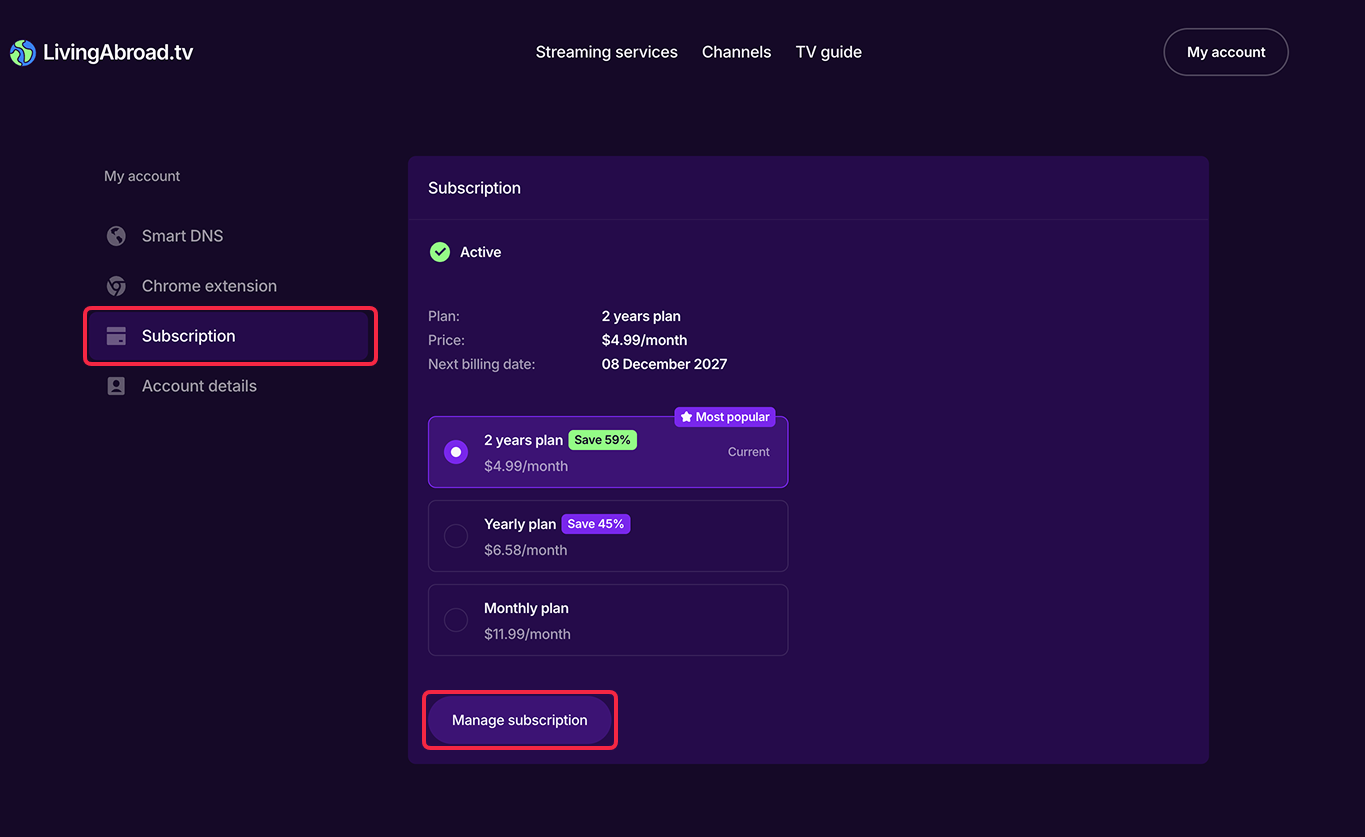
Open the Subscription tab of your Account page.
-
Click on Manage subscription button in the lower part of the page.
-
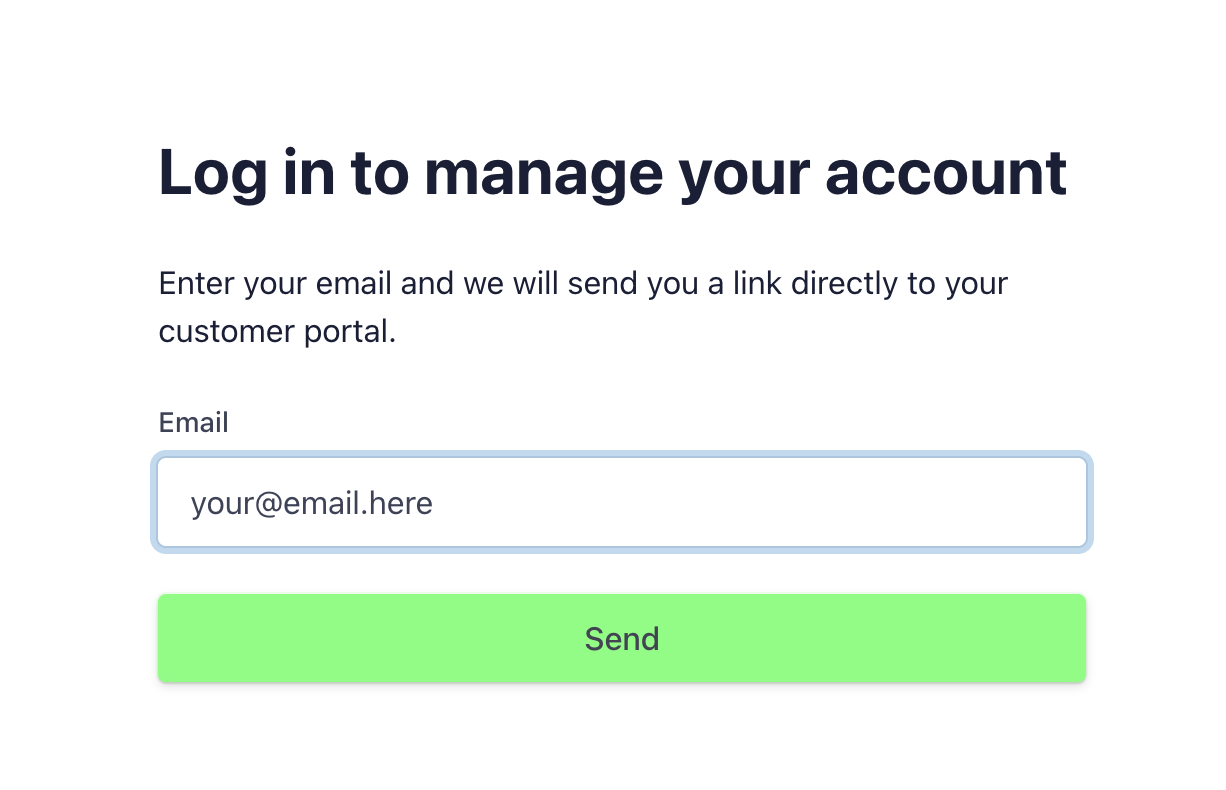
You will get redirected to the Stripe request page. Enter the email you registered at LivingAbroad.tv with and press Send.
-
Check your email. Stripe will send you a link to your Stripe Customer portal where you can Change or Cancel your subscription plan, update your payment method and view transactions history.
-
Optionally, you can tell us why you want to stop using our service and we'll try to address your concerns. We are committed to providing you with the best experience we possibly can and are grateful for all the feedback you may provide. You can always reach us at: support@livingabroad.tv.
