To change your payment method or details follow these steps:
-
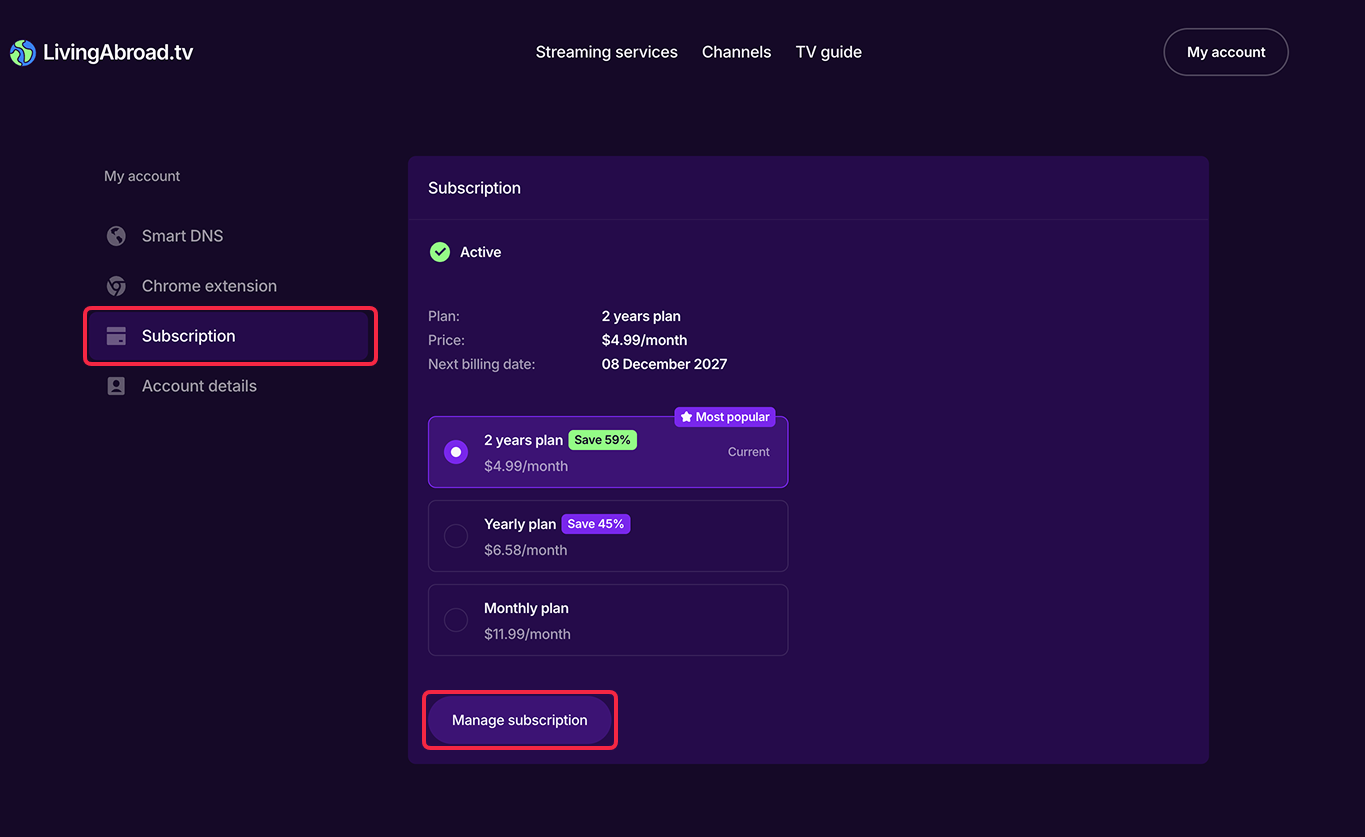
Open the Subscription tab of your Account page.
-
Click on Manage subscription button in the lower part of the page.
-
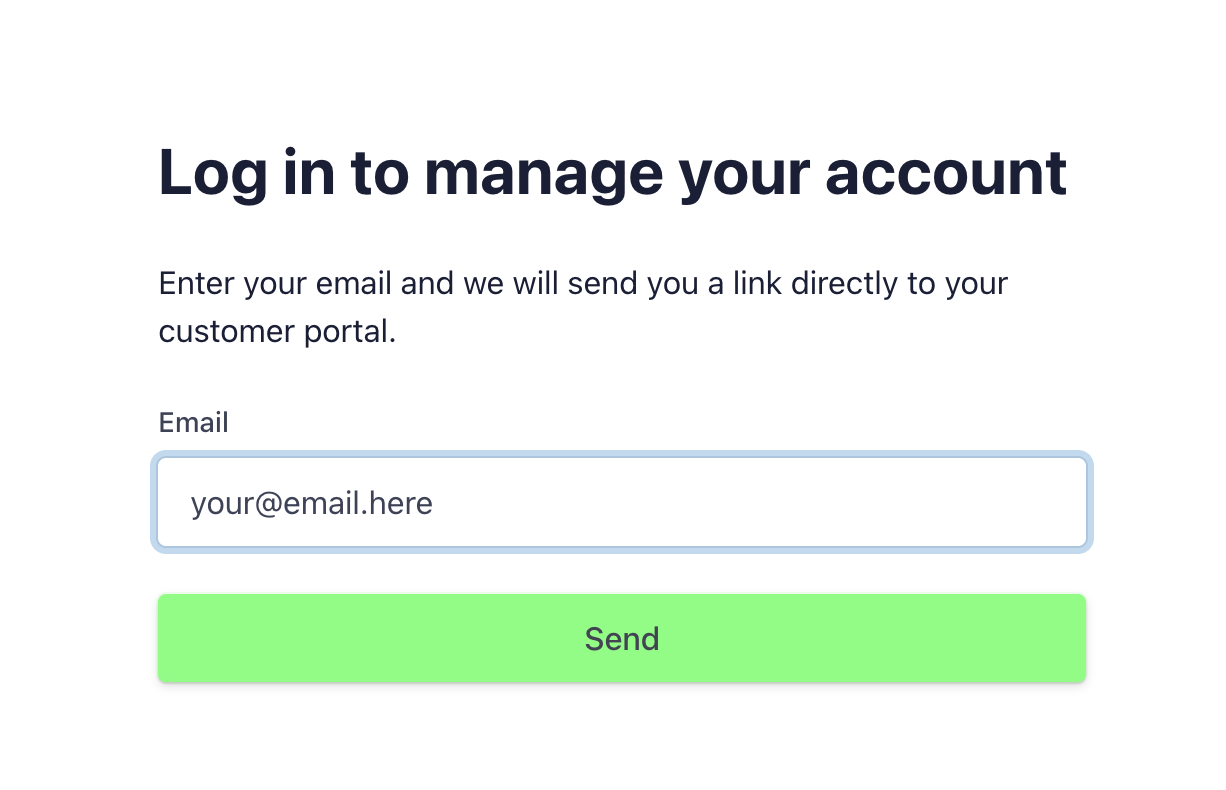
You will get redirected to the Stripe request page. Enter the email you registered at LivingAbroad.tv with and press Send.
-
Check your email. Stripe will send you a link to your Stripe Customer portal where you can update your payment method, credentials, subscription plan and view transactions history.
