Quick setup: takes about 3 minutes
Follow the steps below to set up Smart DNS on your Google TV.
DNS address to enter:
146.59.198.179
-
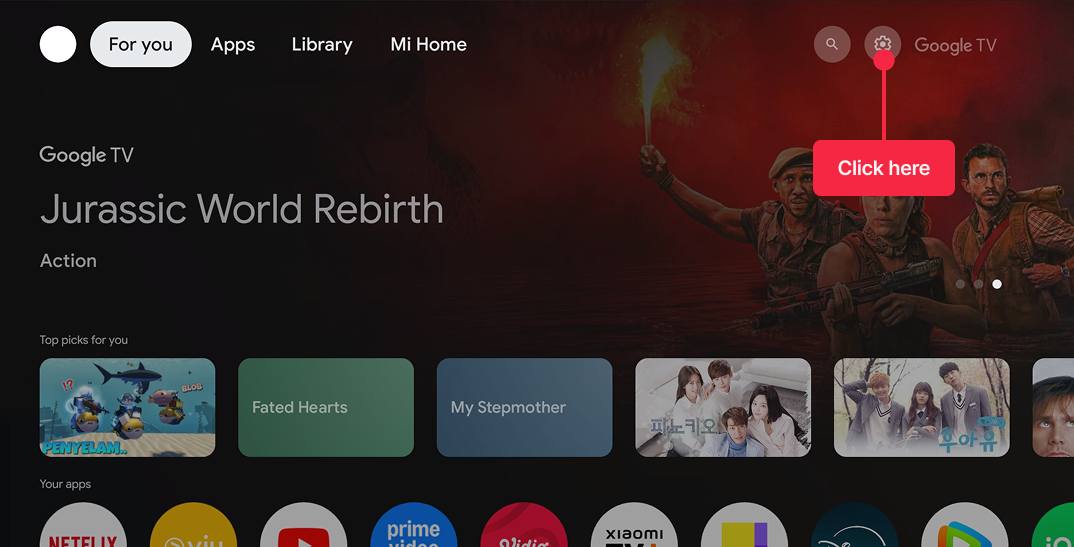
Go to Settings (gear icon) on your Xiaomi TV / Google TV.
-
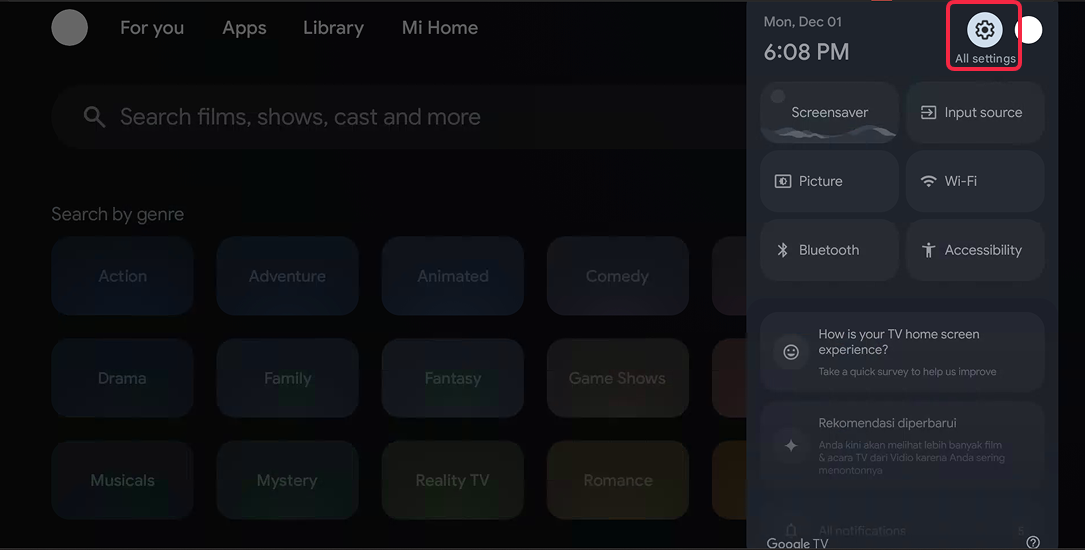
Press All Settings (same icon) again.
-
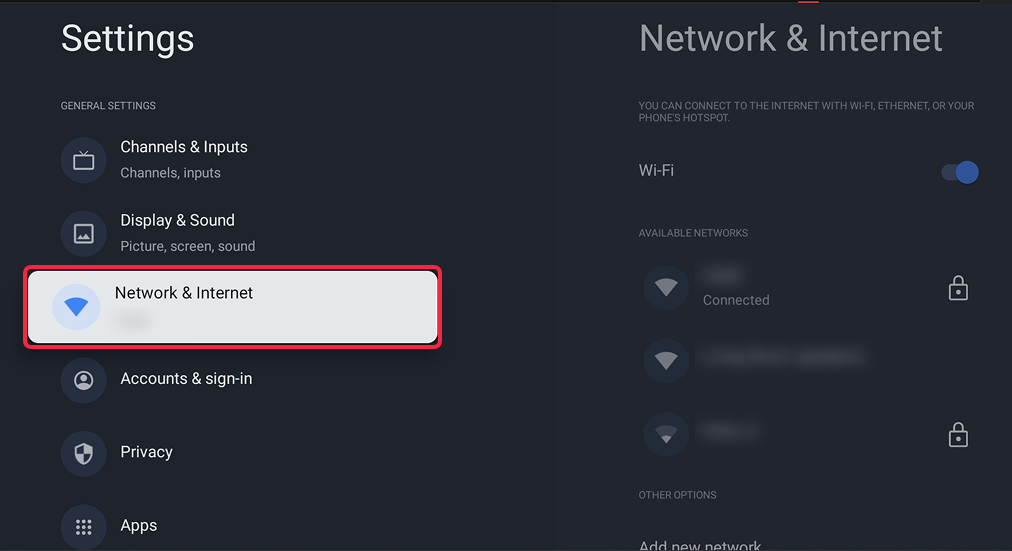
Select Network & Internet.
-
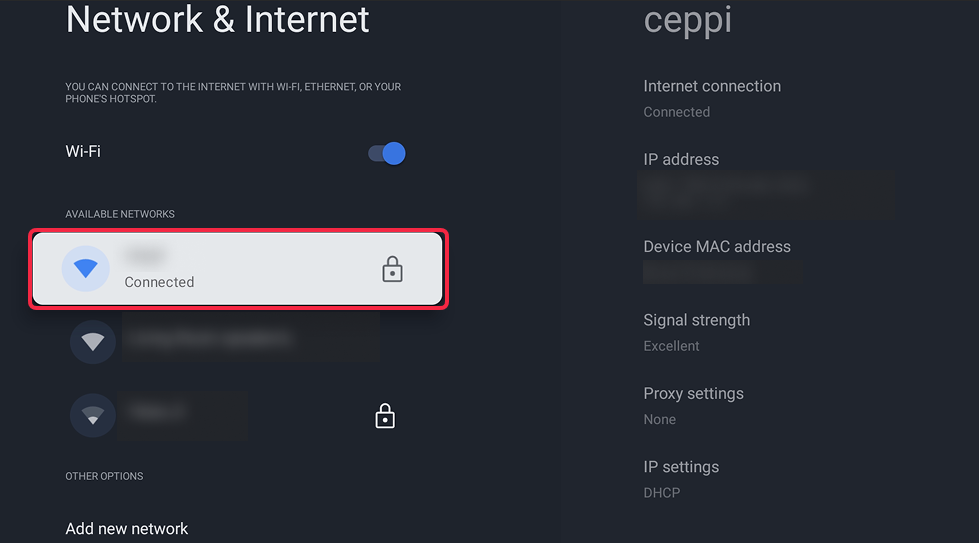
Select your active network (e.g., Home Wi-Fi).
-
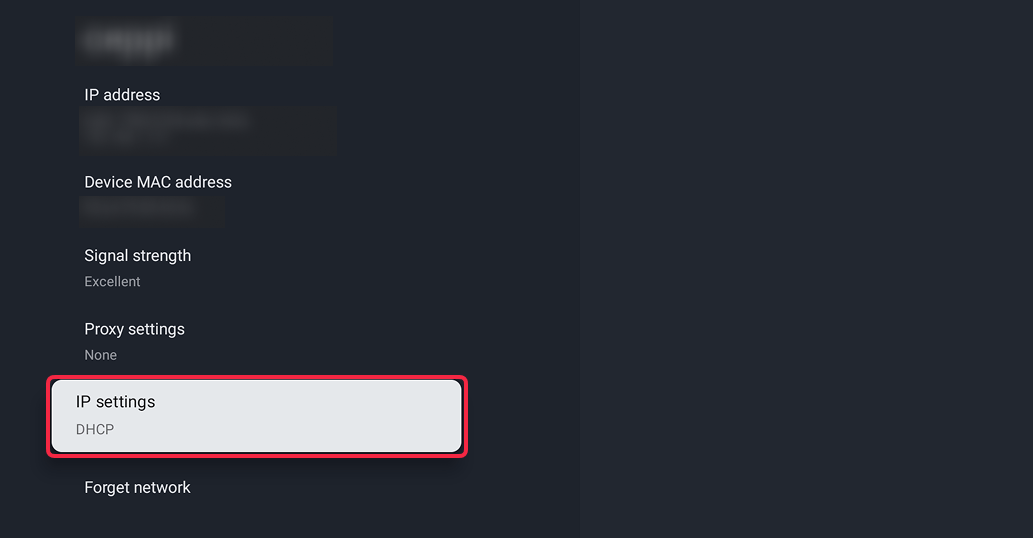
Find the IP settings option.
-
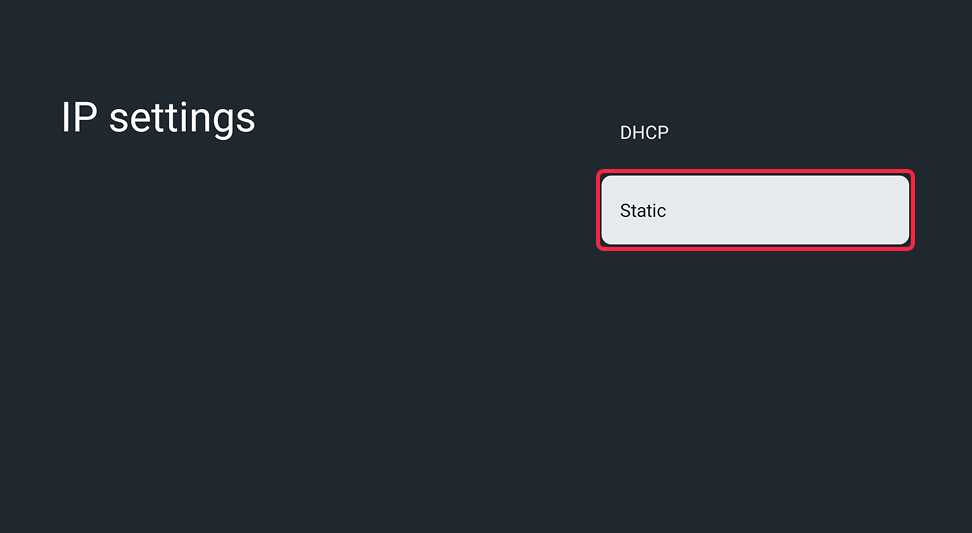
Switch from DHCP → Static.
-
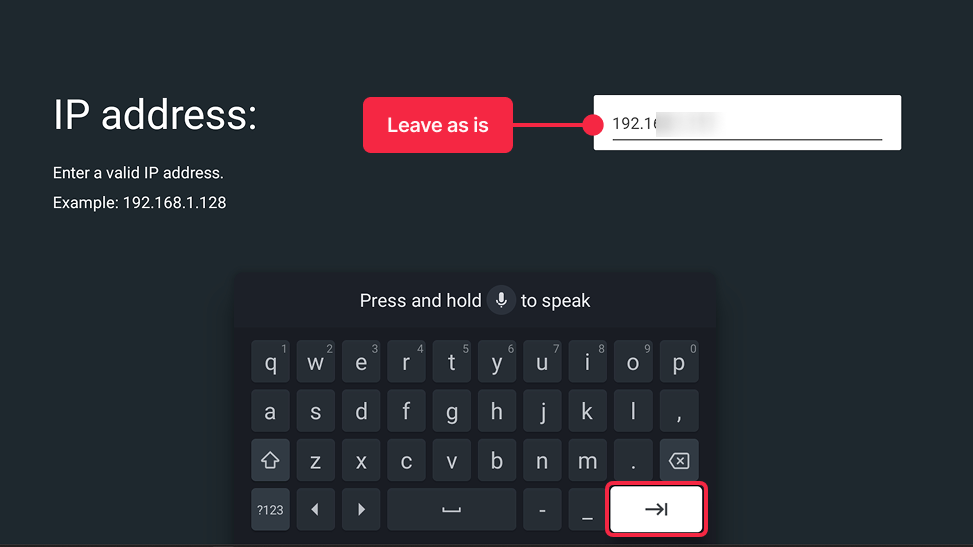
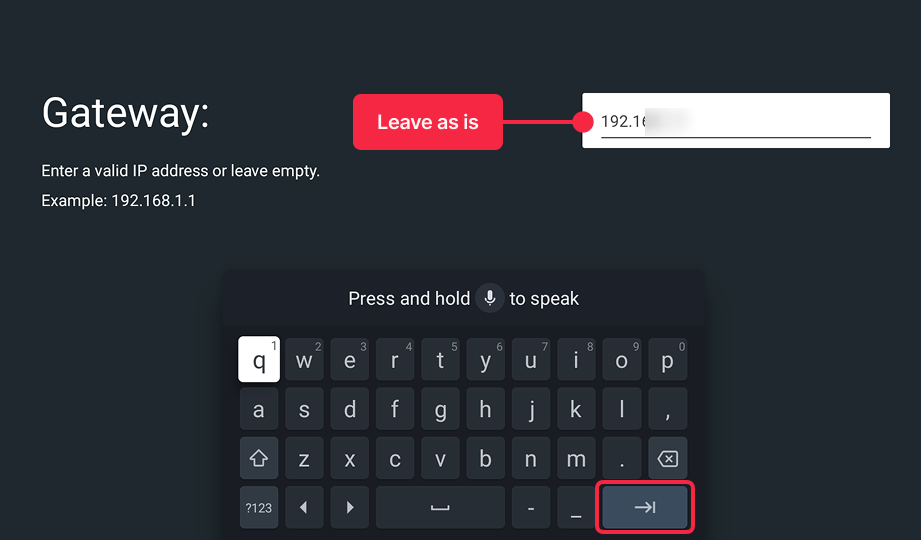
Do not modify IP, Gateway, or Subnet unless required — the TV will pre-fill them automatically. Simply press the Enter (bottom right) button to process to the next step.
-
Scroll to DNS 1 and enter:
146.59.198.179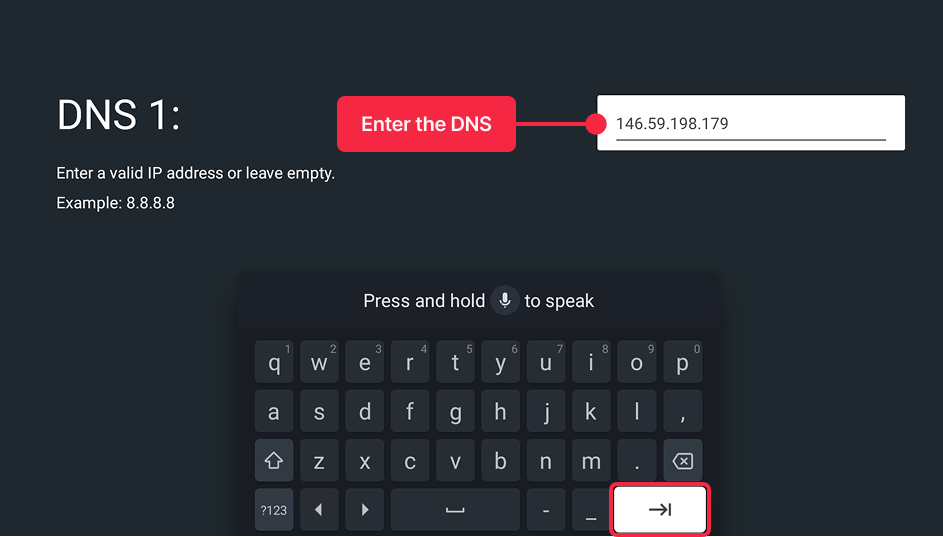
-
Leave DNS 2 empty or set to 0.0.0.0.
-
Confirm and exit the settings.
Important! Restart the TV to clear DNS cache: long-press the Power button → Restart.
