Quick setup: takes about 2 minutes
Follow the steps below to set up Smart DNS in your Edge browser.
DNS address to enter:
https://dns.livingabroad.tv
-
Open Privacy, search, and services / Security settings by entering
edge://settings/privacy/securityin the address bar. -
Scroll down until you find Use secure DNS segment.
-
Select the Choose a service provider option.
-
A text field will appear just below, click on in and enter
https://dns.livingabroad.tv.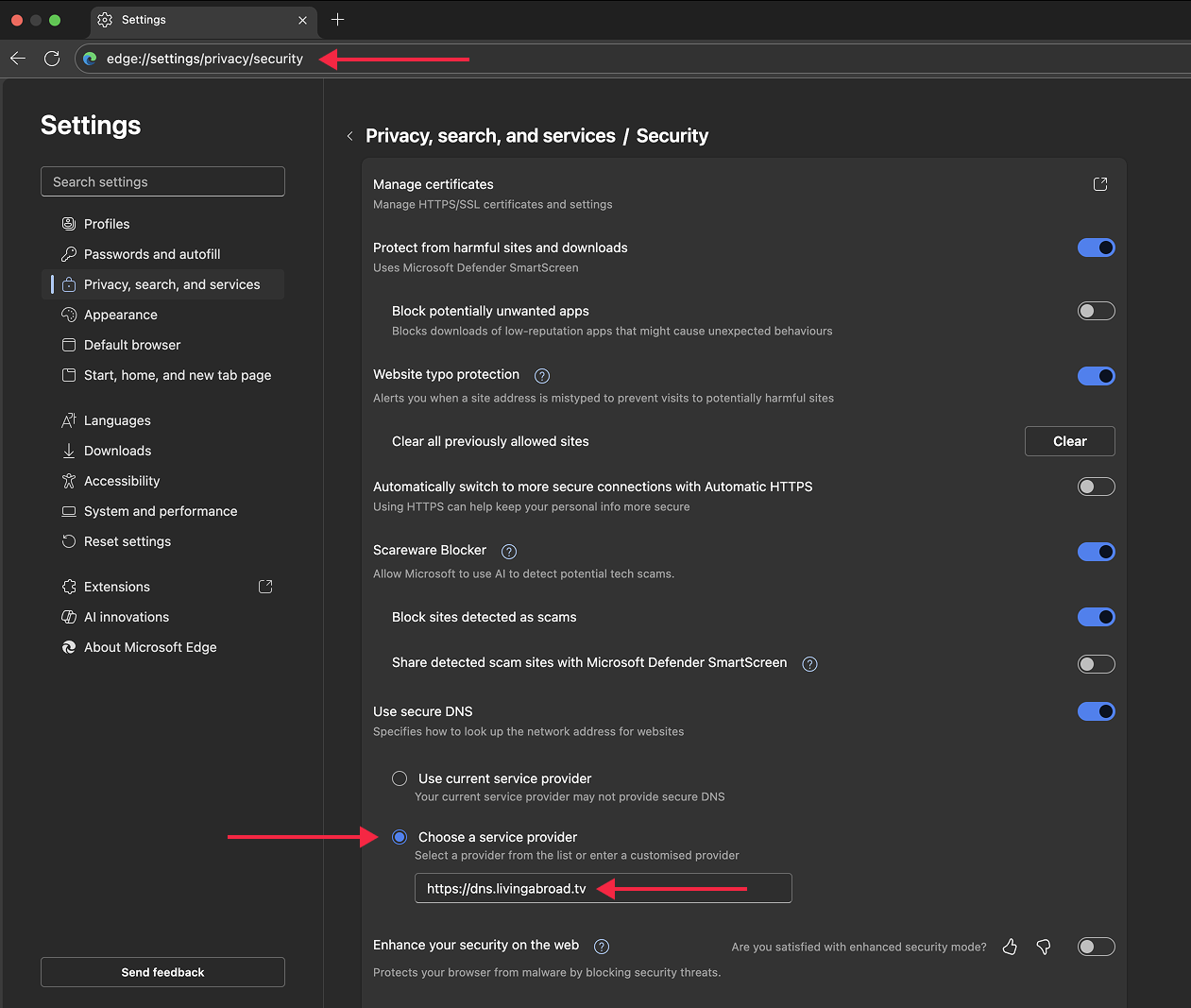
-
Done! Open your account page to verify Smart DNS is active.