Quick setup: takes about 3 minutes
Follow the steps below to set up Smart DNS on your Android device.
DNS address to enter:
146.59.198.179
-
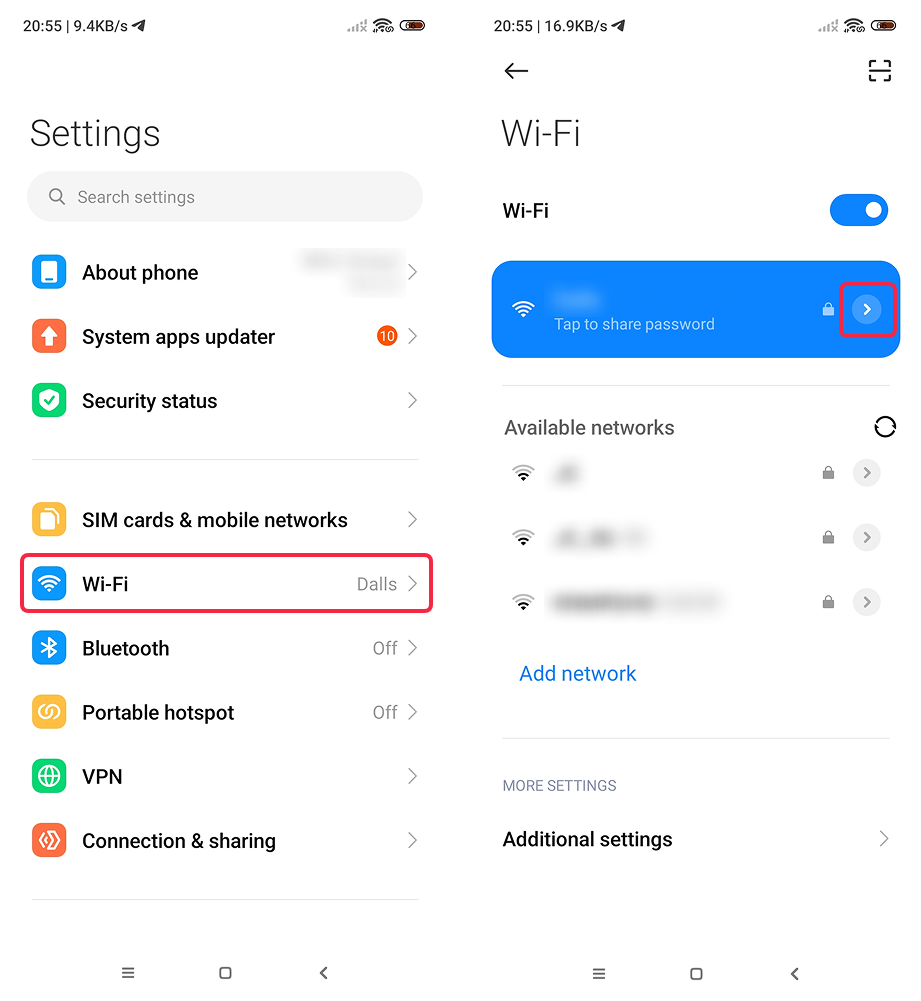
Open Settings.
-
Tap Wi-Fi.
-
Tap the > (right arrow) button next to your active Wi-Fi network.
-
Tap IP Settings at the bottom of the screen.
-
Change DHCP → Static.
-
Scroll down to DNS 1, tap on the field, type in
146.59.198.179and hit Enter (⏎ ).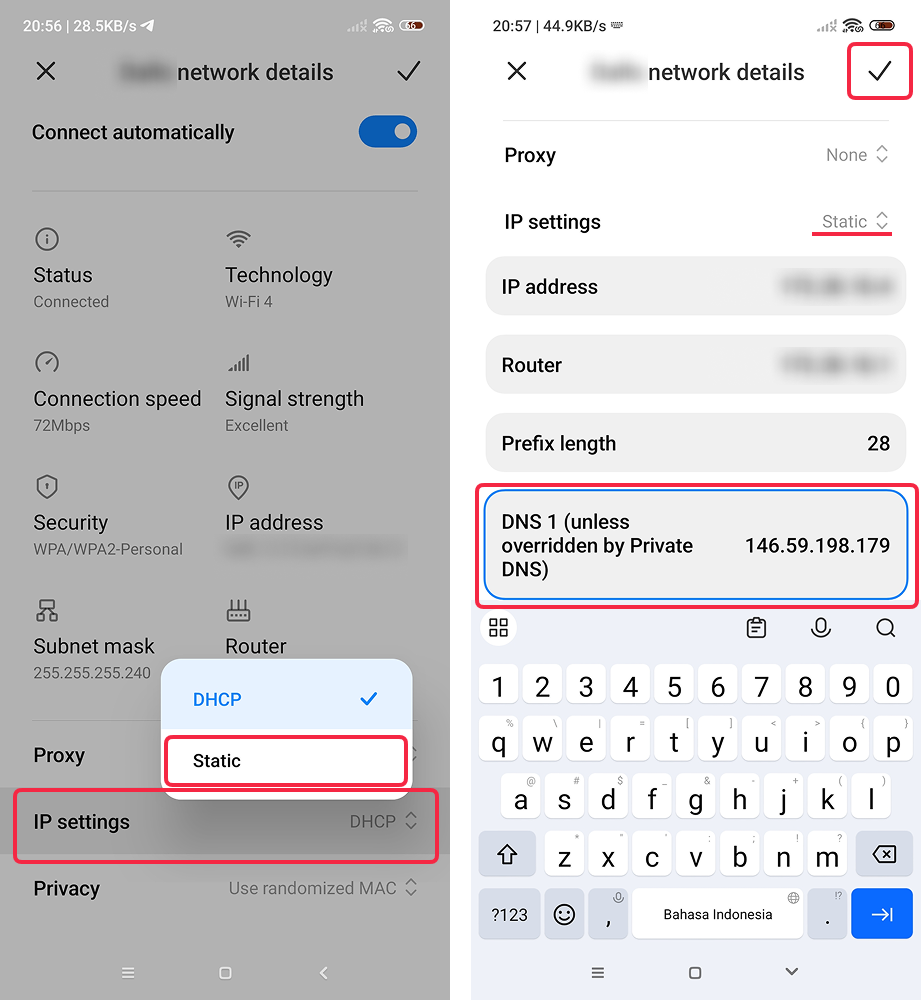
-
Tap ✔ (checkmark) in the top-right corner to save the changes.
-
Done! Open your account page to verify Smart DNS is active.