Quick setup: takes about 3 minutes
Follow the steps below to set up Smart DNS on your LG TV.
DNS address to enter:
146.59.198.179
-
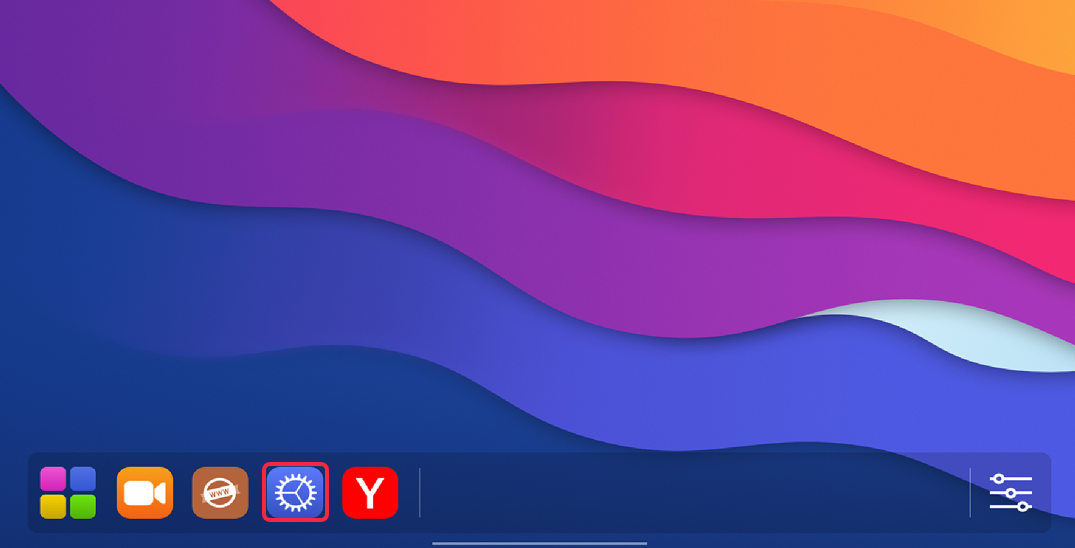
Go to Settings (gear icon) on your LG TV.
-
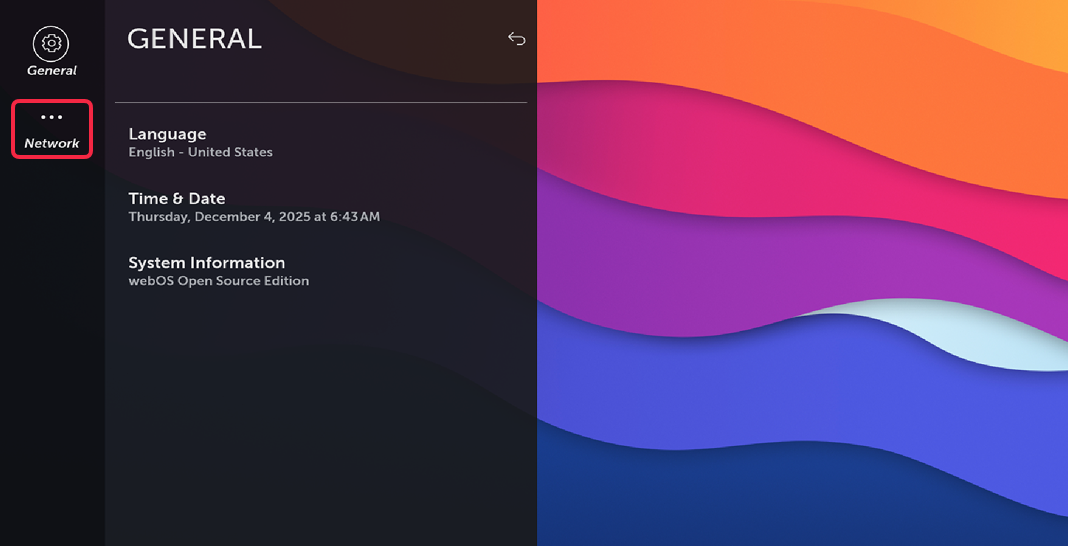
Press Network.
-
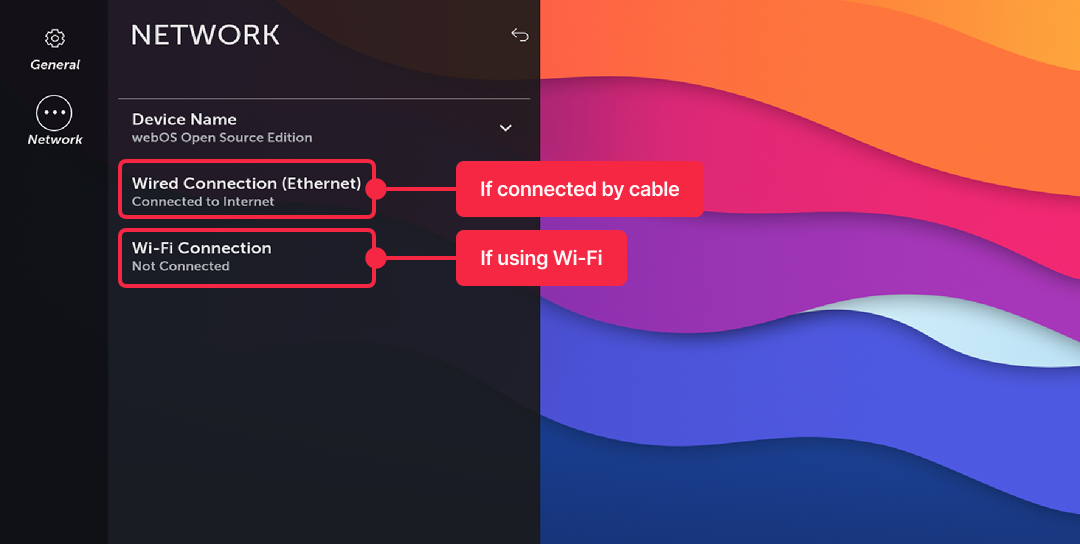
Select your active connection (says Connected to internet beneath Wired or Wi-Fi).
-
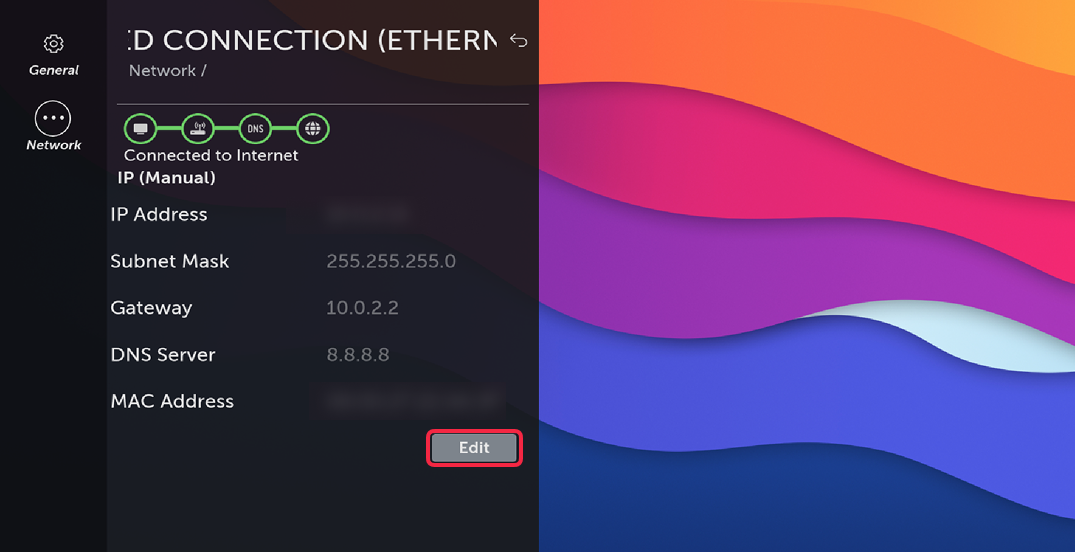
Press Edit.
-
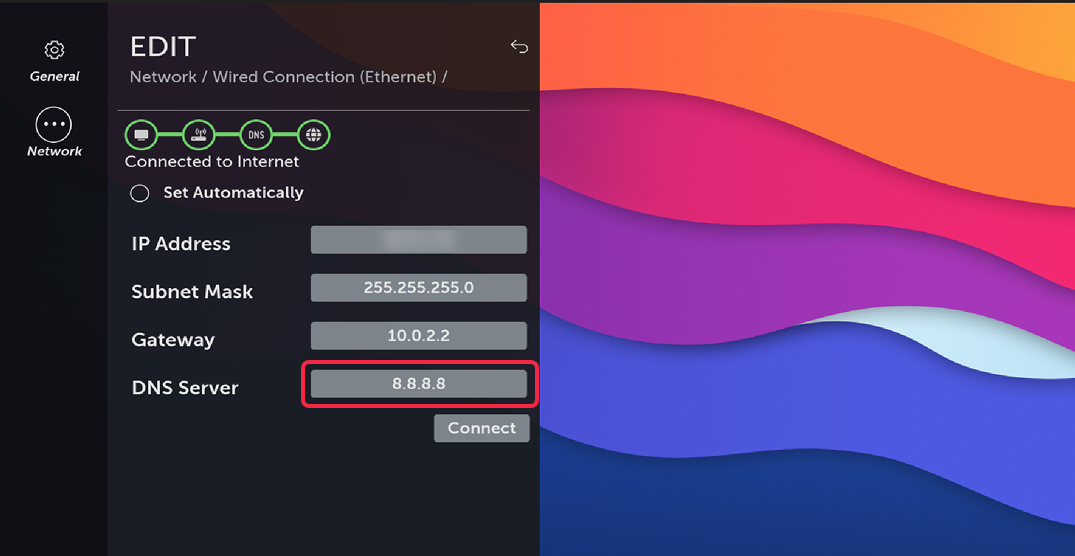
Click on DNS Server field.
-
Input
146.59.198.179, then Enter.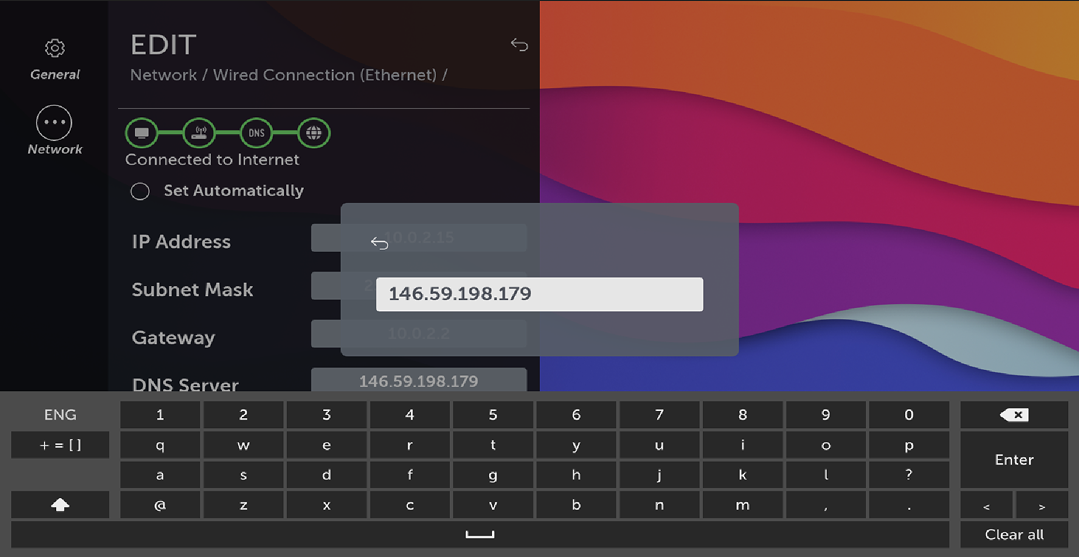
-
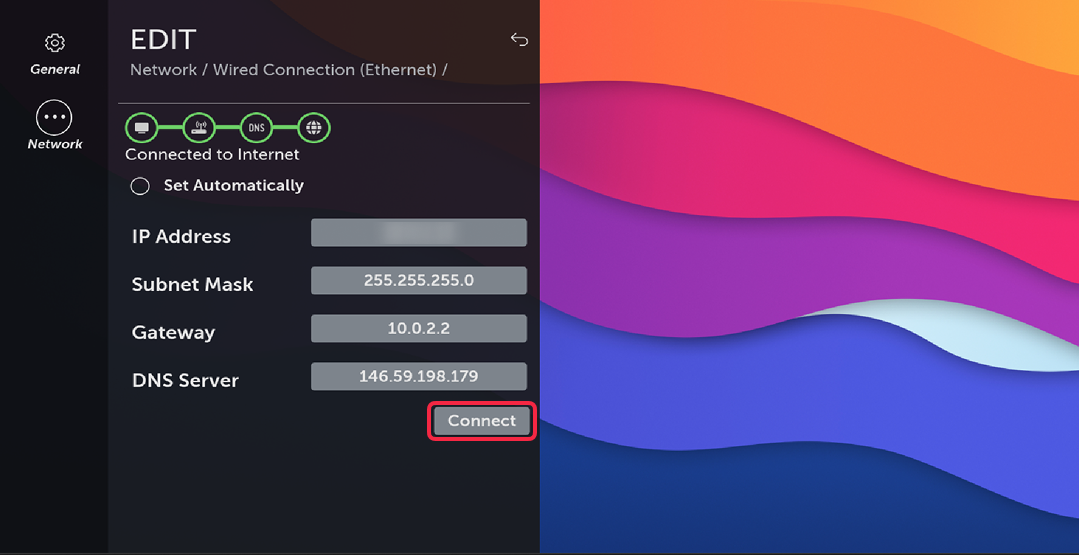
Click Connect.
-
Done! Restart the TV to clear DNS cache and enjoy streaming.
