Quick setup: takes about 3 minutes
Follow the steps below to set up Smart DNS on your PlayStation.
DNS address to enter:
146.59.198.179
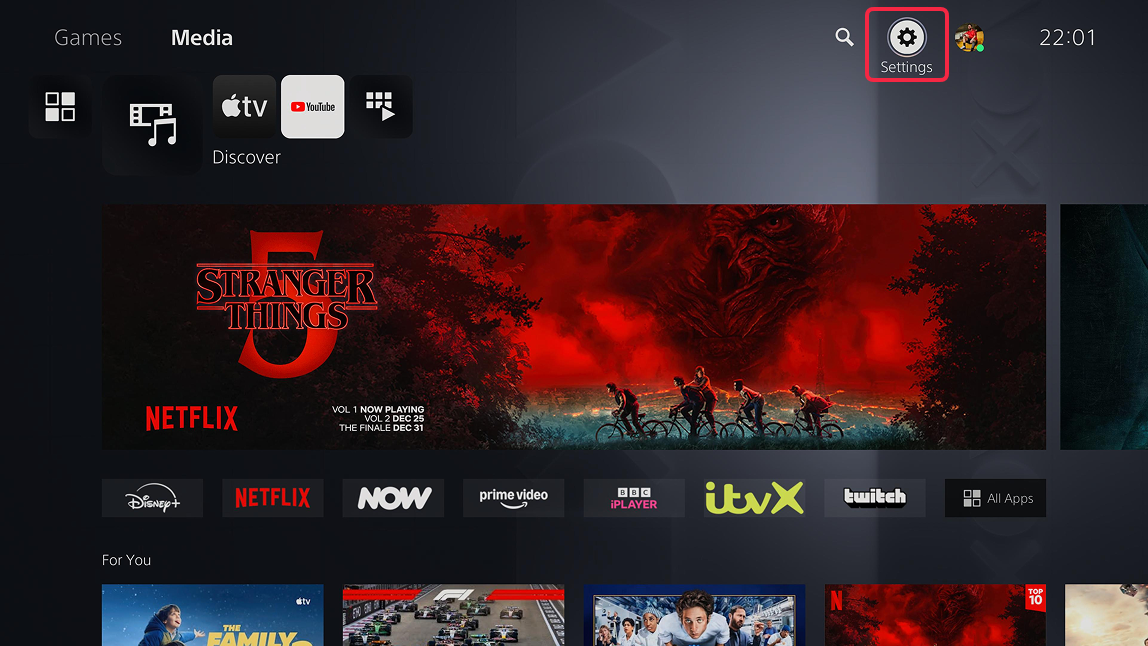
- On your Home screen press Settings (gear icon) at the top right corner.
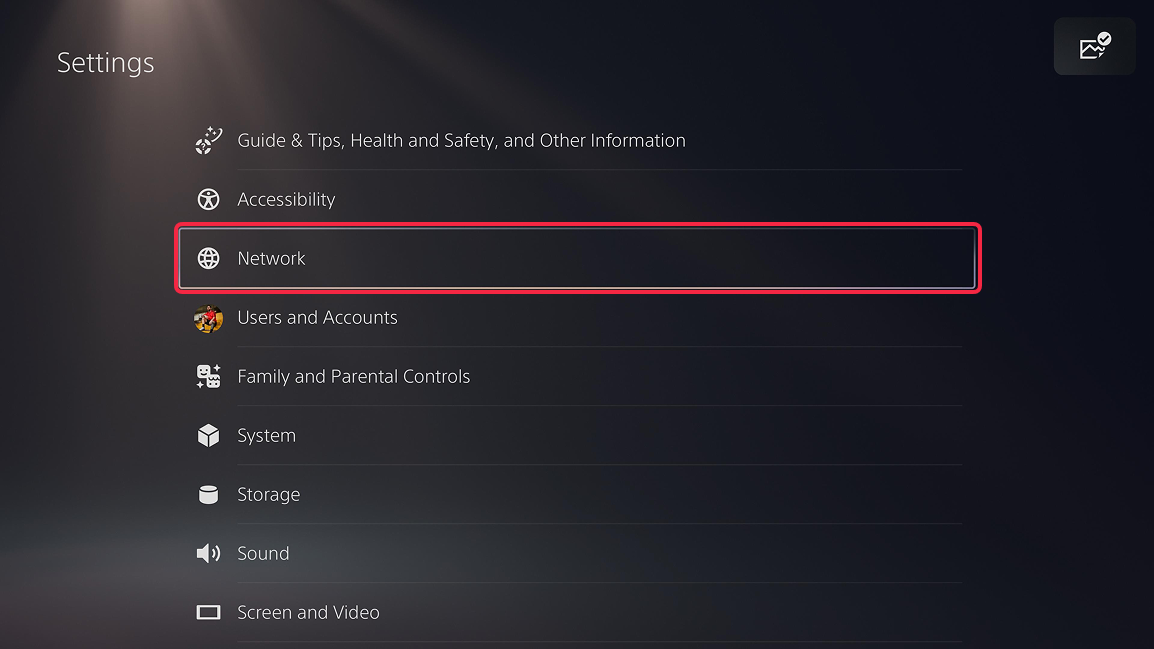
- On the Settings page select Network.
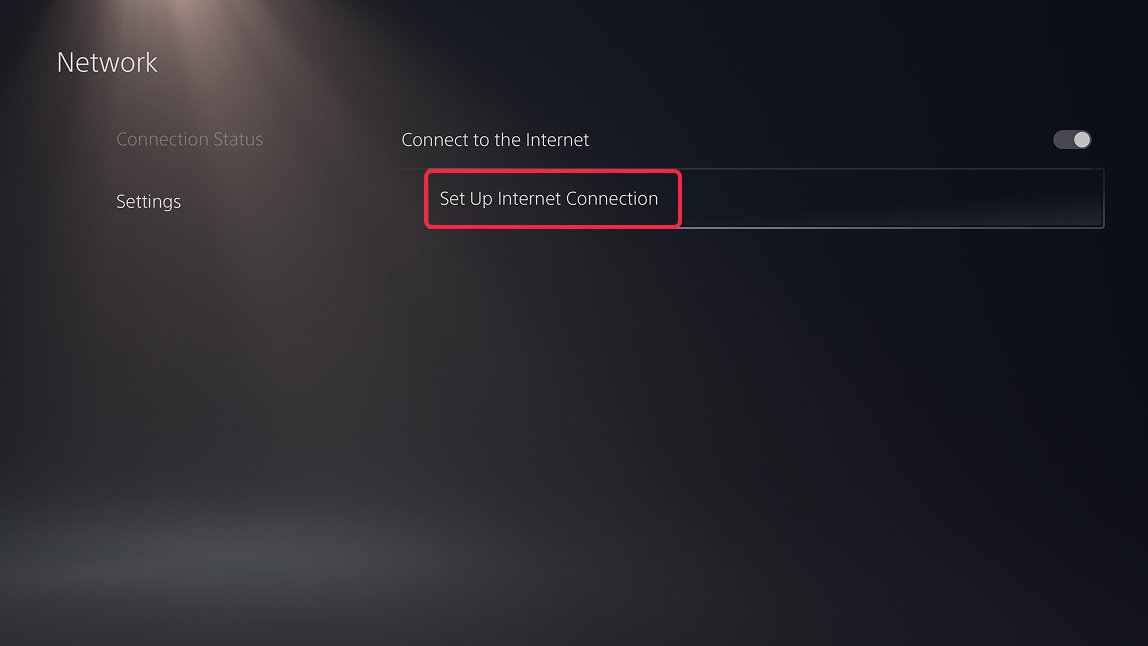
- On the Network page select Settings → Set Up Internet Connection.
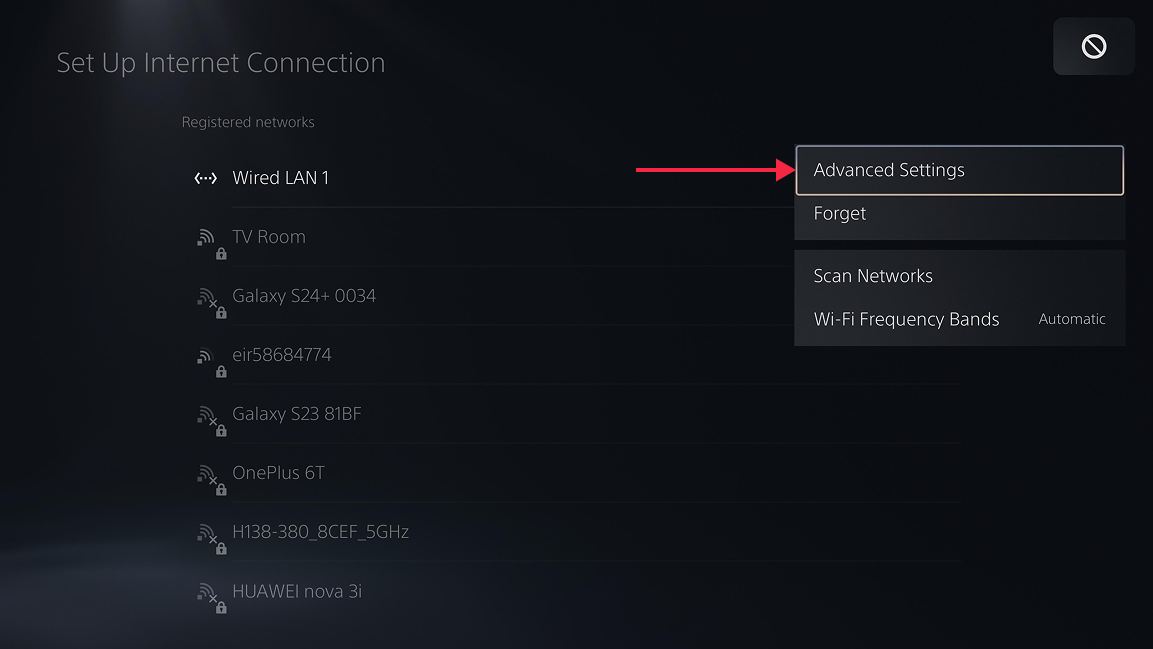
- Select your active internet connection (can be wired or Wi-Fi) and then Advanced Settings.
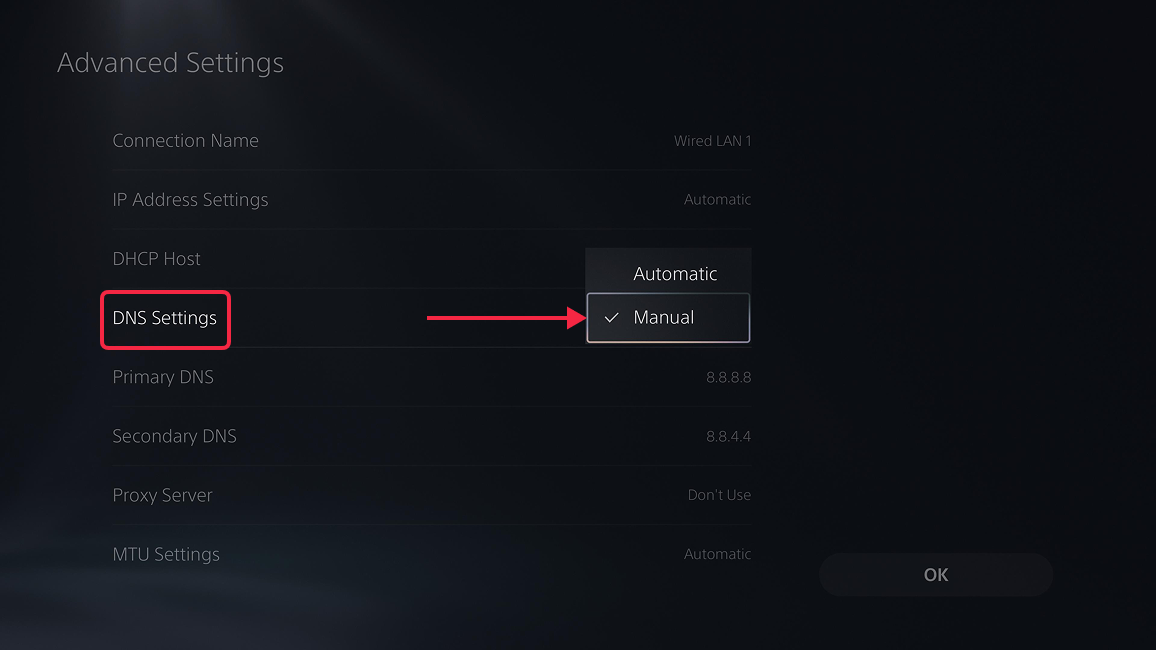
- Now press DNS Settings and select Manual in the dropdown on the right.
- Finally, select Primary DNS and enter
146.59.198.179. Press Done (R2), then OK at the bottom right.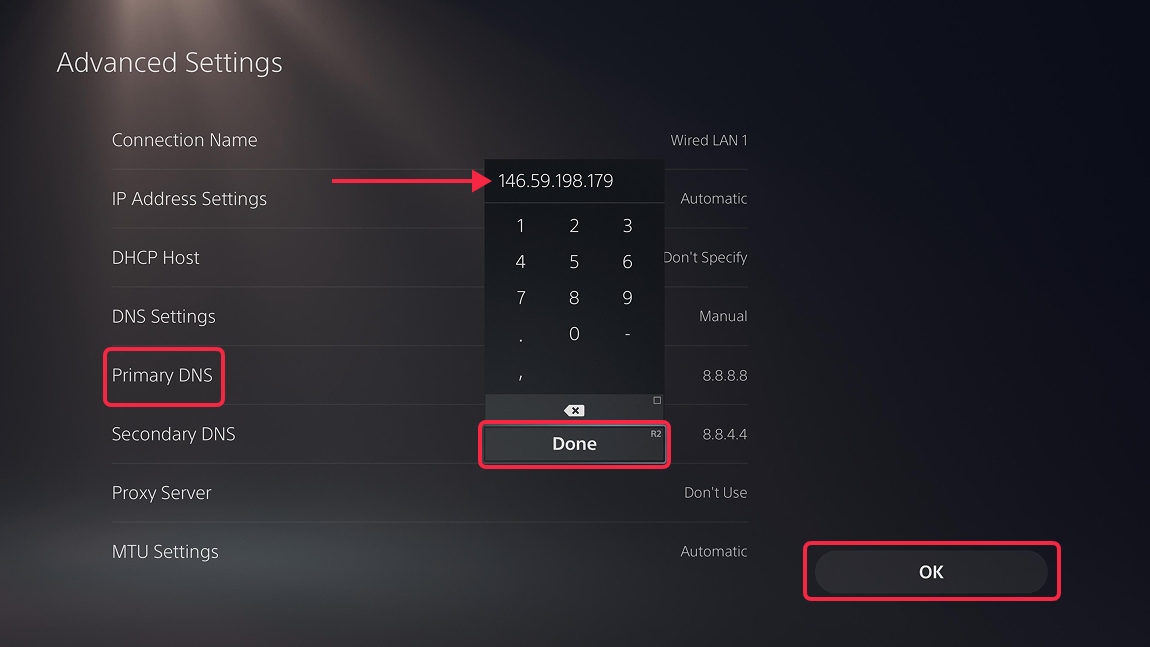
- That's it. Restart the console to ensure the DNS cache is cleared and enjoy your favourite content without geo blocking.
