If Smart DNS isn’t working:
- Double-check you edited DNS on the correct Wi-Fi network (you may have changed DNS on a guest SSID by mistake).
- Confirm VPN apps are fully disconnected (including any “always-on” VPN profiles).
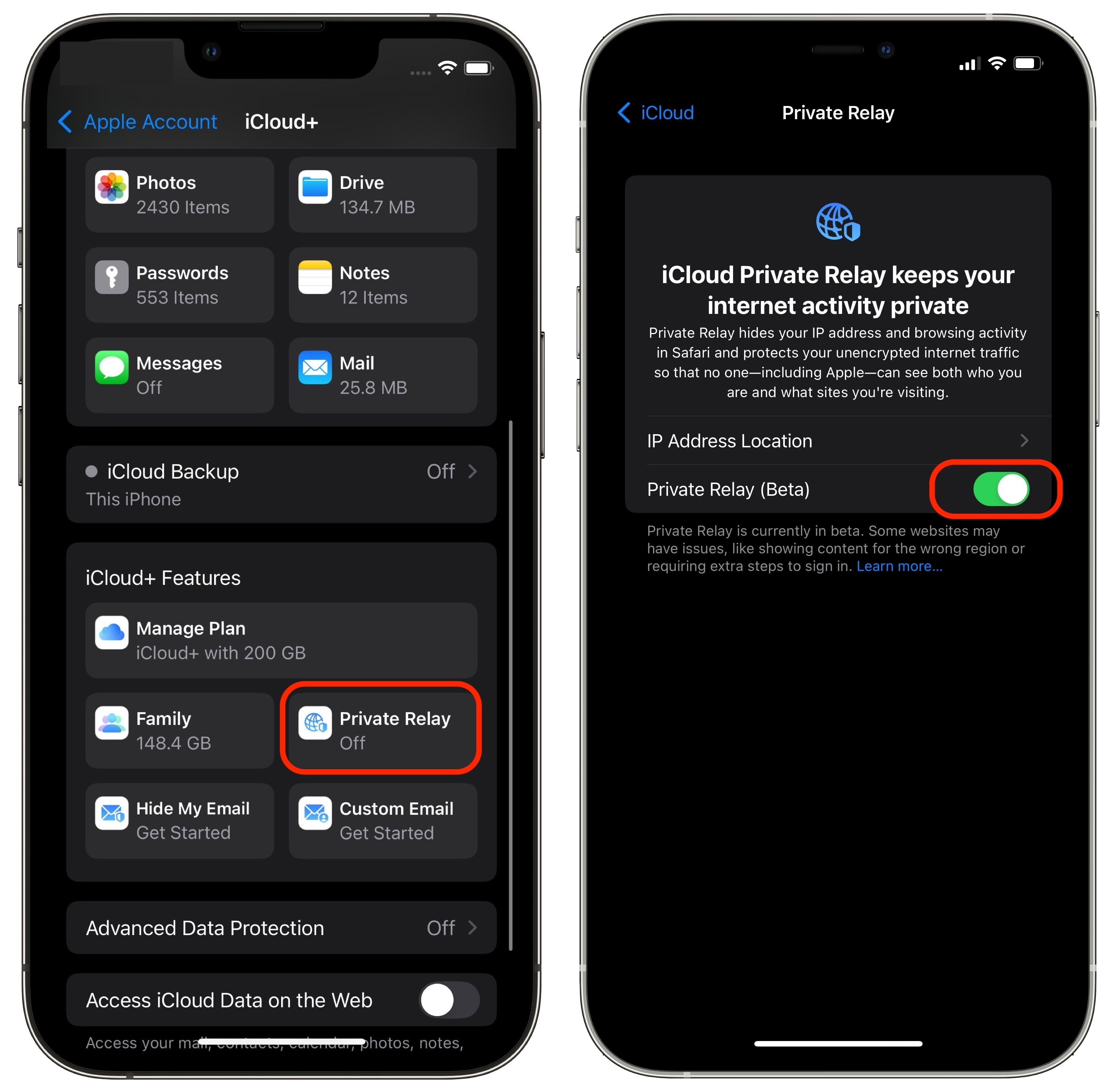
- Make sure Private Relay is off.
- Toggle Wi-Fi Off → On, or forget and re-join the network.
- Re-visit https://livingabroad.tv/user/smart-dns to ensure the user’s current public IP is still registered.
To disable Apple iCloud Private Relay, which can interfere with Smart DNS:
- Open Settings.
- Tap your Apple ID name at the top.
- Tap iCloud → Private Relay.
- Turn Private Relay Off (has to become grey).